1. Shipments & Fulfillment APIs
Salla Platform Docs
  • Getting Started
  • Migration to the New API
  • Publish App
  • Change Log
  • Shipping Management
    • App Cycle
    • Test App
    • Create App
    • Setup App
  • Order Fulfilment
    • App Cycle
    • Setup App
    • Test App
    • Create App
  • Salla AWB
    • Getting Started
    • Create Shipping App
    • Setup Shipping App
    • App Functions
      • Shipment Creating
      • Shipment Cancelling
    • Generating AWB
      • Shipment AWB
      • Shipment Return AWB
      • Shipment Cancelled AWB
  • APIs
    • Shipments
      • Create Shipment
      • List Shipments
      • Update Shipment Details
      • Shipment Details
      • Cancel Shipments
      • Return Shipments
      • Shipment Tracking
    • Shipping Companies
      • List Shipping Companies
      • Shipping Company Details
    • Shipping Routes
      • Routes List
      • Route Details
      • Create Route
      • Update Route
      • Default Route
      • Delete Route
Merchant
Merchant
  • Merchant API
  • Embedded SDK
  • Salla OAuth 2.0
Storefront
Storefront
  • Twilight Engine
  • Twilight SDK
  • Web Components
  • Ecommerce Events
  • Component Bundle
  • Checkout APIs
  • Change Log
App Functions
Partner APIs
Partner APIs
  • App API
  • Shipments & Fulfillment APIs
  • Salla AWB
  • Recurring Payments API
  • Billing System Salla partners
  • Communication Apps
Dev Tools
Dev Tools
  • Partners Agent Kit
  • Salla Apps Playbook
  • Salla CLI
Merchant
Merchant
  • Merchant API
  • Embedded SDK
  • Salla OAuth 2.0
Storefront
Storefront
  • Twilight Engine
  • Twilight SDK
  • Web Components
  • Ecommerce Events
  • Component Bundle
  • Checkout APIs
  • Change Log
App Functions
Partner APIs
Partner APIs
  • App API
  • Shipments & Fulfillment APIs
  • Salla AWB
  • Recurring Payments API
  • Billing System Salla partners
  • Communication Apps
Dev Tools
Dev Tools
  • Partners Agent Kit
  • Salla Apps Playbook
  • Salla CLI
Salla - Opensource
Salla - Developers Community
  1. Shipments & Fulfillment APIs

Publish App

After successfully creating and setting up Shipping Apps and Orders Management Apps. The developer can submit them to be published at Salla Apps Store.
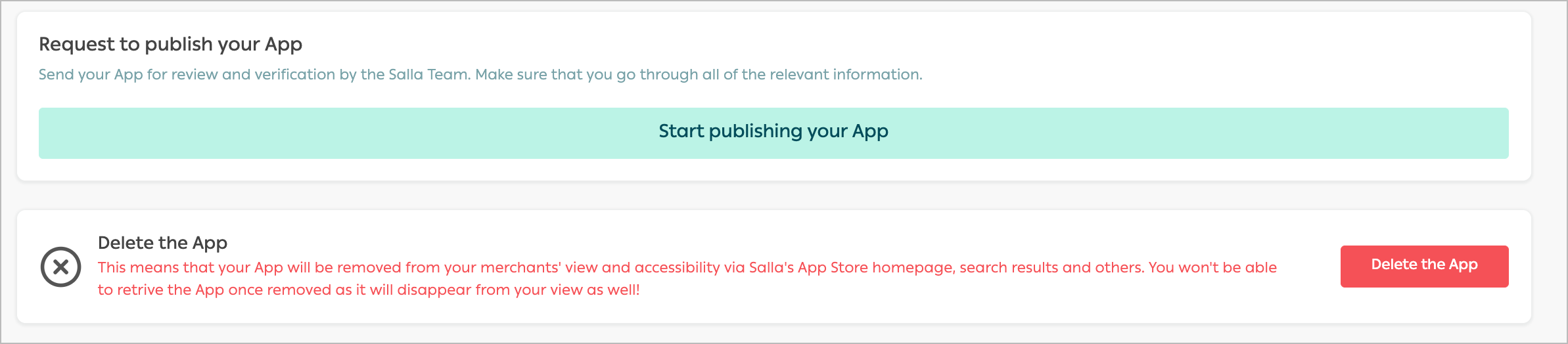
On the Partners Portal, go to App Details page and scroll to the buttom of the page. Click on Start Publishing you App .
image
This will display the App Listing page with the App details request for publishing.
image.png
Fill in the details following the standards guidline for a faster publishing process.
Kudos🎉!! By getting here the developer has successfully submitted the App for publishing at Salla Apps Store!
Information
Make your App reach more stores by applying these simple tips shared by our experts!

Modified at 2026-06-21 10:29:03
Previous
Migration to the New API
Next
Change Log