Publishing is the beginning, not the finish line. This article covers acquiring merchants, measuring success with real data, supporting them well, and scaling sustainably, with concrete tracking code, a real retention query, and step-by-step procedures throughout.
Plan your launch around a specific merchant segment rather than "everyone", a focused launch (fashion retailers, or Arabic-speaking small stores) is easier to message and measure than a broad one. This is the same segment-first thinking from Planning Your App's validation work; your launch plan should target that exact same group.
Engage with the Salla developer and merchant community, visibility here often drives early adoption before your app has enough App Store reviews to be discovered organically.
Best Practices
Launch to a narrow, well-defined segment first, then expand once you have validated retention within it.
Track which acquisition channel merchants come from, this tells you where to invest further.
Common Mistakes
Spreading marketing effort across too many channels before knowing which one actually converts merchants.
Waiting for organic App Store traffic instead of actively driving early installs.
Track what percentage of merchants are still active at 30/60/90 days post-install, usually the strongest signal of whether your app delivers real, ongoing value.
Run the same query with 60- and 90-day intervals for the full picture. In plain terms: take everyone who installed 30+ days ago, check whether each did anything in your app around day 30, and calculate what percentage did.Revenue MetricsFor paid apps, track revenue per merchant, churn-adjusted revenue, and lifetime value, these matter more for sustainability than raw install count.
Links Back to Planning Your App
These are the same metric categories defined in Planning Your App's Setting Objectives. If you define them there, this is where you start actually measuring against them.
Best Practices
Review retention and active-usage metrics weekly in the first months post-launch, early signal matters most.
Segment metrics by merchant type/size where possible, aggregate numbers can hide important differences.
Common Mistakes
Focusing on install count alone and ignoring retention, high installs with high churn indicates a real problem.
Not revisiting metrics after launch, missing early warning signs of low engagement.
Beyond in-app onboarding (Core Development), consider proactive outreach for merchants who install but do not complete setup, a short check-in meaningfully improves activation rates. A simple rule: if a merchant installed but has not completed onboarding within 48 hours, that is your signal to reach out.
Provide clear, accessible support channels for merchants using your app (in-app help, email, or a dedicated support page). Response time on early support requests strongly shapes a merchant's overall trust in your app.
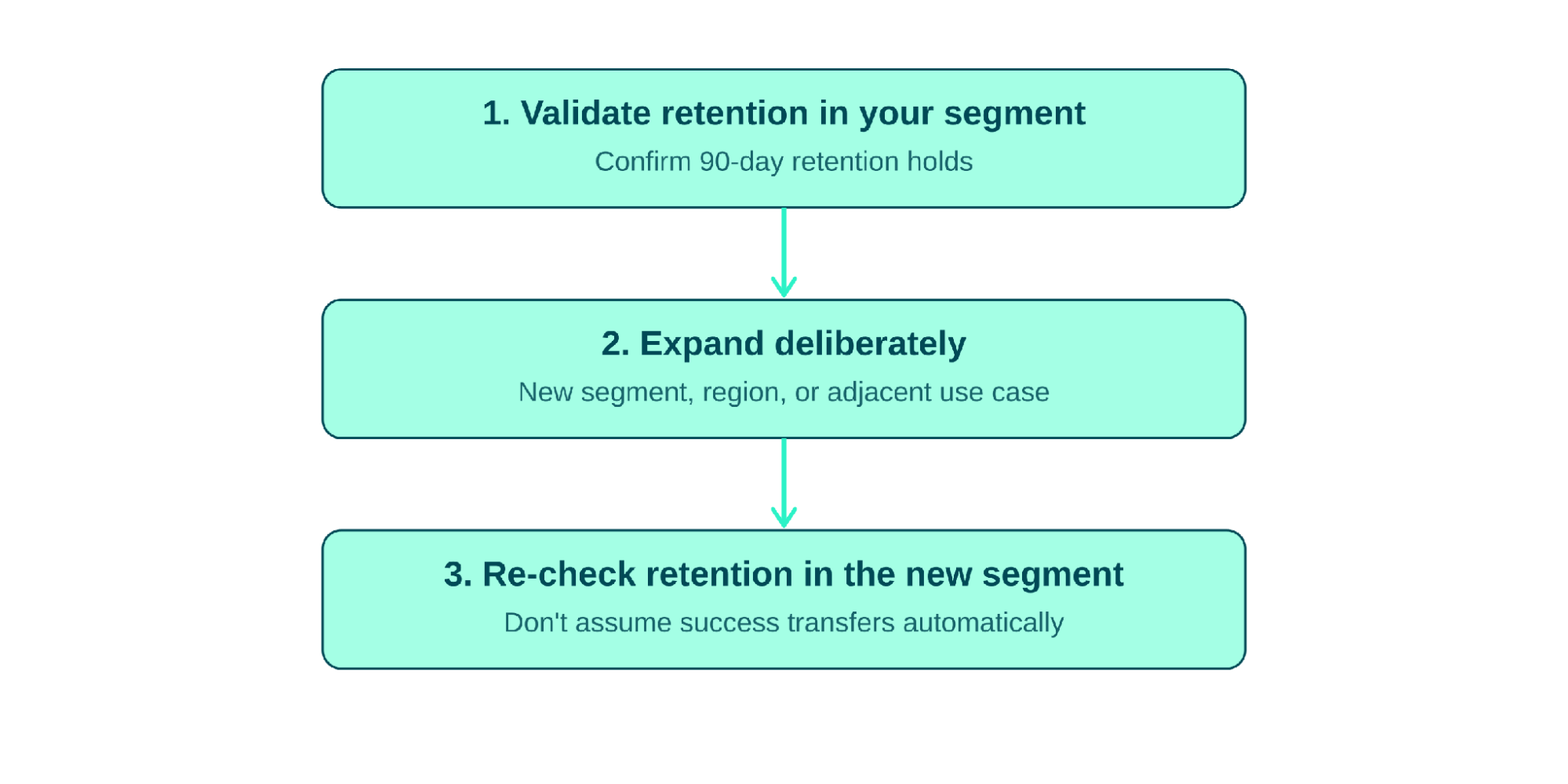
Once retention is solid within your initial segment, expand deliberately, new merchant segments, new regions, or adjacent use cases within your category. The procedure below prevents the most common scaling mistake: expanding before confirming what is working actually transfers.
Figure 7.1 - The scaling procedure: validate, expand, re-validate
Prioritize feature requests that reinforce your app's core value proposition over ones that pull it in unrelated directions. Depth in your core use case usually beats breadth across unrelated ones, use the issue-resolution triage table above as one direct input into this prioritization.
As install volume grows, revisit your architecture from Development Preparation, webhook processing, API rate limits, and data storage that worked at small scale may need rework at larger scale. A concrete early warning sign: if your webhook queue (Core Development) starts backing up during peak hours, scale background workers before it becomes a merchant-visible problem.
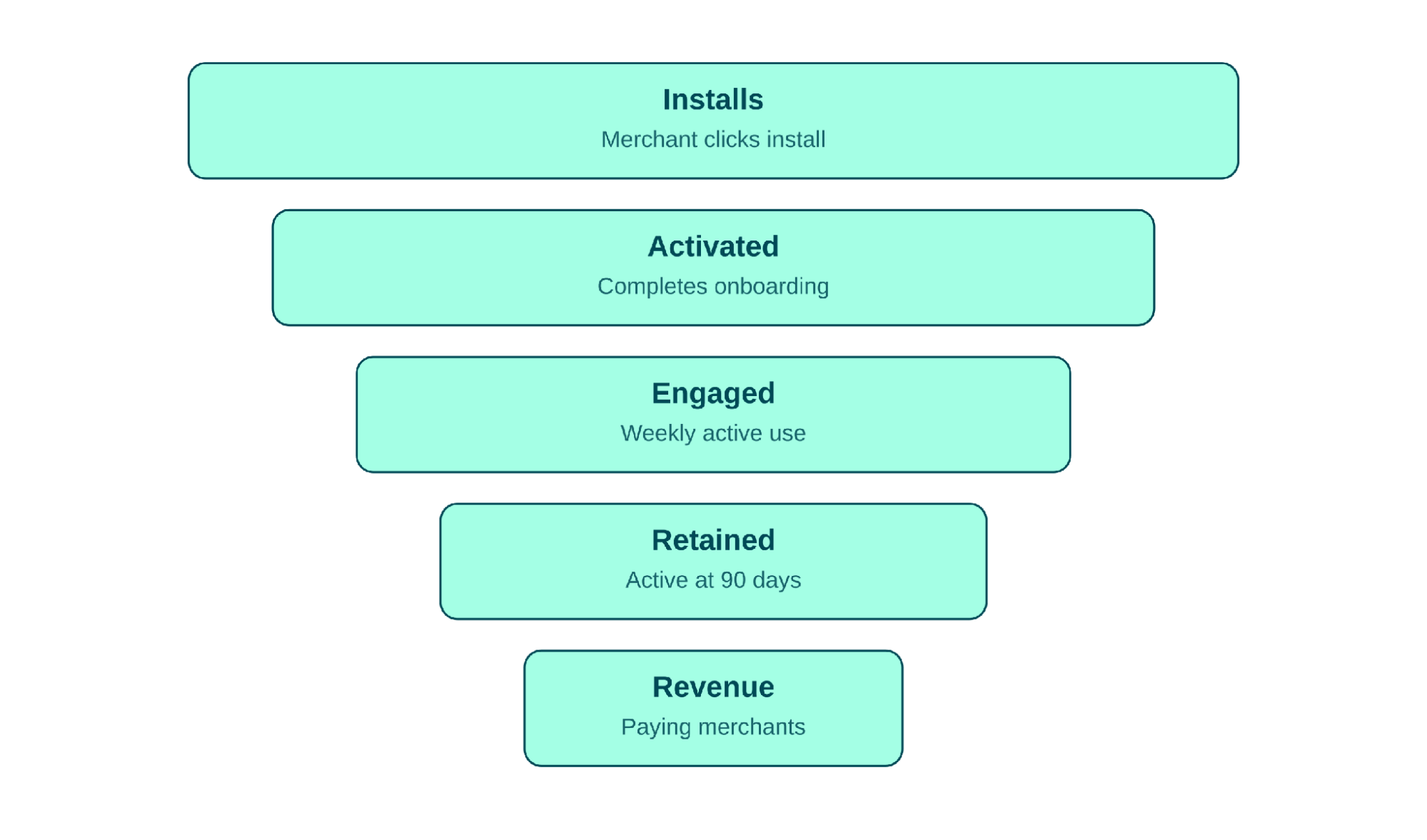
Maintain a roadmap that balances merchant-requested features, platform changes (new Salla APIs/capabilities), and your own strategic direction. Revisit it quarterly.Putting the Funnel TogetherEvery metric and procedure in this article maps onto a single growth funnel, from a merchant's first install through to becoming a retained, paying user. Use this as your mental model when deciding where to invest effort at any given stage.
Figure 7.2 - The full growth funnel, from install to revenue
Best Practices
Scale to new segments or regions only after confirming strong retention in your current one.
Revisit your technical architecture proactively as volume grows, rather than reactively after hitting a scaling issue.
Common Mistakes
Expanding into new markets/segments before achieving solid retention in the original one.
Adding features reactively to every merchant request without a coherent roadmap.